

Anyone these days can produce code at the speed of light. Just describe what you want and let the AI generate it. The term “vibe coding” (building software by describing your goals in plain words to an AI assistant) exists only 1,5 years but has quickly become a mainstream way of working for developers as well as non-developers.
With AI coding agents like Cursor, GitHub Copilot and the widely known Claude Code we generate in minutes what used to take days or weeks, we review it in seconds and push it live. We are basically flooding our systems with unverified code logic. As a result the main costs for companies are no longer writing the code but proving it actually works the way it should. Every shortcut that we take today becomes an issue we will discover later. Such issues usually come to the surface at the worst possible moments and in places nobody is looking. Trust, validation and data integrity are becoming extremely expensive.
This post explains why marketing data and analytics tracking are the first silent victims of vibe coding and why continuous monitoring of data tracking has become non-negotiable.
The recurring issue: code that looks right
AI-generated code usually fails in predictable ways and we now have the data to prove it.
A recent thread on Hacker News hit the nail on the head. The author noticed that AI is amazing at spotting bugs, but when it tries to fix them, it goes totally overboard. It builds complex solutions for problems that aren’t even there, just because complex code looks impressive to a machine. It completely fails to keep it simple. Someone in the comments added the perfect warning: AI is only useful if you already know exactly what you’re doing. If you don’t, it’ll give you a broken plan that looks totally convincing and you won’t realize it’s wrong until it’s too late.
Researchers at Columbia’s DAPLab identified nine recurring failure patterns with vibe coding. The most serious ones? Error handling and business logic, exactly the failures that are silent. The code runs without errors but it doesn’t completely do what you asked.
And the real-world consequences are rapidly piling up. Crackr’s directory of documented vibe-coding incidents now lists 19 major failures, including Amazon where in March 2026 an AI-assisted deployment triggered a 6-hour outage (and an estimated 6.3 million lost orders!) and SaaStr where in July 2025 an AI agent (Replit) ignored a code freeze and deleted a complete live database. In October 2025 the cybersecurity firm Escape.tech scanned 5,600 vibe-coded apps and found over 2,000 high-impact vulnerabilities and over 400 exposed credentials like API keys.
What do these issues have in common according to Crackr? The code was deployed by people who didn’t understand it. It looked correct, passed a quick scan and went to production.
Why tracking is the first (and most silent) victim
When newly deployed code breaks something, the visible parts of your site get noticed fast. A broken checkout button for example generates a support ticket almost immediately. However, your dataLayer error doesn’t get noticed that fast nor does it get a support ticket. Analytics and marketing tracking is very vulnerable to fast and unsufficiently reviewed deployment for three reasons:
1. Tracking breaks silently
The newly deployed website works normally, nothing crashes and users are happy. In the meantime, without anyone noticing, a tag silently stops firing and some events and conversions disappear. Your GA4 events, Meta Pixel and conversion tags are quietly sending no data, or worse, sending garbage until reporting and revenue get affected.
2. Tracking is fragile in itself
Your dataLayer depends on element IDs, event names, timing and page structure. An AI agent generating code doesn’t know that a div class was a GTM trigger. It doesn’t know the checkout event name is referred to in ten other tools. This is exactly what one commenter on Hacker News described: Claude Code edits the obvious file and stops. Sibling files and connected tools don’t get modified and become outdated.
3. Manual QA can’t keep up
The deployment frequency these days is too high and tracking rarely gets the same frequent QA as user-facing features. Multiply that fact by the speed of vibe coding. It is estimated that AI-generated code needs ten to twenty times more QA time than human-written code. In current practice most teams are doing the exact opposite: deploying more code with less review.
Bad data teaches smart algorithms wrong lessons
Broken tracking isn’t just a reporting inconvenience. It corrupts the systems that spend your money and generate your revenue. Performance marketing platforms like Google and Meta optimize toward the tracked conversions. If they receive incomplete or wrong data, the algorithms optimize on incorrect signals and waste ad spend and you miss revenue.
Missing UTM parameters, broken pixels and dropped events create gaps in attribution that make good campaigns look bad and bad campaigns look fine. Your budget flows to the wrong places. Once stakeholders discover a gap in the reporting, they stop trusting the dashboards. Any data gap will live forever in your reporting history. This makes comparisons over time unreliable and it forces your team to continuously look back at past performance with an asterisk or annotation in Google Analytics.
Vibe coding means significantly more front-end changes and releases per week. More releases multiplied by unchanged or reduced QA means a rising probability that at any given moment, something in your measurement stack is broken and nobody knows.
The answer isn’t slowing down. It’s monitoring
Realistically, nobody is going to use AI coding assistants less because its speed and advantages are truly valuable and convenient. There is no other option than to accept that human review and manual QA no longer can keep up with development- and deployment speed. Organisations need an automated safety net where silent failures happen. And that’s where tracking and marketing observability solutions are coming in.
Tools like Code-Cube.io’s Tag Monitor and DataLayer Guard offer continuous, automated validation instead of manual QA. The solution continuously validates that every event, parameter and tag fires correctly. A good monitoring tool catches the hidden failures that don’t crash your site but that corrupt your data. It alerts your team within minutes instead of weeks.
Now is the time to shift from manual checks (which no longer match your release frequency) to always-on monitoring.
Conclusion
Vibe coding lets you down for a simple reason: there is a huge discrepancy between the speed of producing code and the speed of understanding that code.
The visible failures like outages, breaches and wiped databases make it to the news. The more likely and more expensive failure for most companies however is invisible: a tracking setup that quietly degrades with every AI-assisted release, feeding bad data to the algorithms and dashboards that lead your marketing spend.
Is your team deploying faster than ever? Then your measurement stack needs a monitor that never sleeps. Because the most expensive bug is the one nobody notices.
See how much your funnel is leaking
Book a free 30-minute demo with the Code-Cube.io team. We’ll walk through your tracking set-up and show you exactly where errors are occurring.
→ Book your free demo
When a vehicle configurator breaks without raising a single alert, every visit from a high-intent buyer becomes a wasted impression and every euro of ad spend that brought them there evaporates. This is the data-quality crisis reshaping automotive digital marketing.
The most critical funnel in retail
Few industries operate digital user journeys as complex, or as commercially consequential, as automotive. A consumer configuring a new vehicle will interact with trim selectors, finance calculators, 360° walkarounds and dealer-lead forms, each interaction is a data event feeding campaign algorithms, attribution models and sales forecasting.
Consider the European business of a leading global car manufacturer. With over 2,000 sales outlets across Europe and a sales volume of over 500,000 vehicles per year, the brand’s website is the primary engine of lead generation for its entire dealer network. The online configurator is often the decisive moment of purchase intent. Getting a customer to complete the configuration step correlates directly with qualified dealer appointments.
So what happens when the configurator breaks? Not visibly, but silently at the network layer where tracking calls fail to complete and data simply disappears?
How configurators break and why nobody notices
Modern automotive websites are complex frontend achievements. A configurator is typically built as a dynamic single-page application, pulling options from a product catalogue API, updating finance calculations in real time via server-side calls and firing analytics events at each step via the browser’s dataLayer. This architecture is powerful but it creates multiple points of failure that traditional tag-monitoring tools simply do not see.
Standard tag-monitoring tools confirm that a tag fired. What they cannot verify is whether the data actually reached the analytics endpoint, whether the payload was correctly structured, or whether a network timeout, a privacy extension or a front-end deployment silently corrupted the outgoing request.
In this scenario, marketing reports show users entering the configurator and mysteriously dropping off. Attribution models incorrectly credit awareness channels. Performance Max and Meta Advantage+ campaigns, relying entirely on conversion signal quality, begin optimising towards the wrong users. No alert fires. The dataLayer told part of the truth. The network layer told none of it.
Calculating the damage
Industry benchmarks make the financial stakes concrete. Tealium and ObservePoint report that 30–50% of digital tracking data contains errors at any given time. Attribution inaccuracy runs at 40–50% in typical martech setups. IBM and Gartner estimate the average enterprise loses 12% of annual revenue to poor data quality, with up to 21 cents in every euro of media spend wasted as a direct result.
Assumptions
| Risk Category | Benchmark Rate | Base Exposure | Estimated Annual Loss |
|---|---|---|---|
| Wasted media spend – poor tracking signals | 30–40% of digital media | €200M media budget | €60M – €80M |
| Wasted media spend – data quality (21¢/$) | 21% of media spend | €200M media budget | €42M |
| Attribution inaccuracy – misallocated budget | 40–50% attribution error | €200M media budget | €80M – €100M |
| Configurator conversion loss – silent breaks | 3–5% conversion degradation per incident | ~42k qualified configurator leads/yr | 1,250–2,100 missed leads |
| Conservative combined media waste (tracking quality alone) | €120M+ per annum | ||
The hidden multiplier: When tracking breaks and a dealer lead fails to be attributed correctly, that dealer’s digital marketing budget is typically reduced in the next planning cycle (because the data says leads aren’t coming from that channel). Therefore broken tracking doesn’t just waste current spend; it suppresses future investment in channels that are actually working.
Flow Monitor: network-layer observability for complex funnels
The gap between a tag firing on the page and data arriving at its destination is where the most dangerous failures occur, a 500 error on the analytics endpoint, a missing authentication header on a server-side call, a JSON payload where model_id is sent as a string when an integer is expected. None of these are visible to tag monitoring tools. None generate front-end errors. They simply remove data from the record, silently and at scale.
Flow Monitor operates between the browser and the cloud, intercepting and validating every outgoing HTTP, XHR and WebSocket request. A configurator built as a single-page application dispatches analytics calls via the Fetch API or XMLHttpRequest, with no page reload to trigger standard tag evaluation. Standard DOM-layer monitoring sees nothing. Flow Monitor sees everything.
Status & response tracking
Automatically surfaces 404, 500, and 403 responses on any outgoing analytics, pixel or API call, errors that front-end tools categorically cannot detect.
Mandatory header inspection
Verifies that authentication tokens, content-type declarations and cache-control headers are present and correctly configured on server-side tracking calls.
Raw XHR & Fetch interception
Intercepts and validates the JSON or query-string body of requests to GA4, Adobe Analytics, Meta CAPI and other endpoints, before they reach the server.
Third-party pixel delivery
Confirms that Meta, TikTok, Google Ads, and Bing pixels are not merely present on the page, but are actually completing successful data transmissions to their servers.
Server-side tracking validation
Validates server-to-server tracking pings with correct authentication, closing the verification loop that client-side tools leave open by design.
Hard-coded call capture
For legacy architectures that bypass a centralised dataLayer entirely, Flow Monitor captures hard-coded tracking calls directly from the network stream.
The automotive case: a vertical that cannot tolerate blind spots
Automotive brands occupy a peculiar position in the digital advertising landscape. They are simultaneously among the largest spenders on paid media in Europe and among the most complex operators of digital customer journeys. Their primary conversion event, a dealer lead or test-drive booking, has an average value far exceeding any e-commerce transaction. And unlike e-commerce, where a failed conversion can be recovered with a cart abandonment email, a lost car configurator lead typically cannot be recaptured.
Conclusion: data quality is a commercial necessity
The automotive sector’s shift to digital-first retail has transferred enormous commercial leverage to the quality of data flowing through the analytics stack. For brands managing thousands of dealer touchpoints, hundreds of millions in media spend and product configurators that dominate the purchase funnel, the silent failure of a single tracking call is no longer a technical inconvenience. It is a commercial event with measurable revenue consequences.
The tools to prevent it exist. The industry benchmarks quantifying the cost of inaction are unambiguous. The question for marketing technology leaders in automotive is not whether to invest in data observability, it is how much longer they can afford to operate without it. In an industry where a single qualified lead can represent €35,000 in transaction value, the cost of a blind spot is self-evident.
See how much your funnel is leaking
Book a free 30-minute demo with the Code-Cube.io team. We’ll walk through your configurator or lead journey and show you exactly where network-layer failures are occurring, in your live environment, right now.
→ Explore Flow Monitor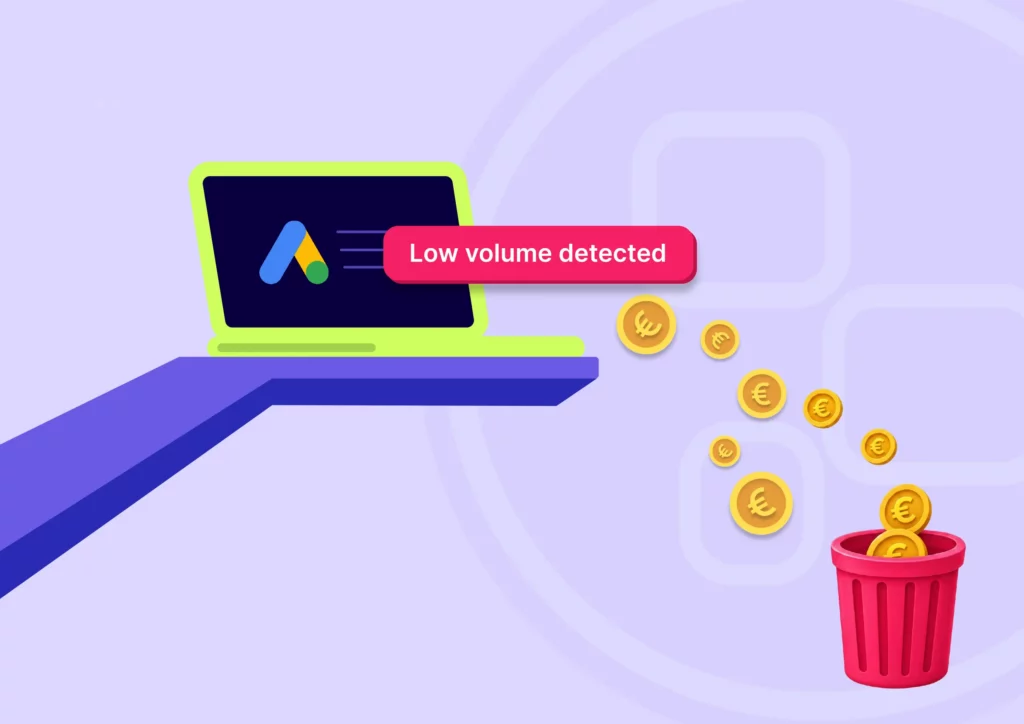
Google’s Performance Max (PMax) campaigns are powerful, but they’re only as effective as the data you feed them. When conversion tags don’t load correctly, the algorithm can’t optimize toward what really matters. The results are wasted budget, lost revenue, and a disrupted learning curve.
Let’s dive a bit deeper in how PMax works, what happens when data is missing, and why fixing measurement errors quickly is crucial for your business.
1. How Google Performance Max (PMax) works
Performance Max is a goal-based campaign type in Google Ads that uses machine learning to optimize performance across all of Google’s channels from search to display, to YouTube, Gmail and more.
You provide a budget, conversion goals (like purchases or leads), creatives and so called audience signals (to help PMax understand your ideal target audience). Then the algorithm decides which channels to use, which ad creatives to show and how much to bid in each auction.
The core input for optimization in PMax is conversion data. The system needs accurate feedback on which clicks or views actually lead to real business results. In order to receive such accurate input, PMax relies on conversion tags.
Unfortunately there are many reasons that can cause errors in such tags. The most common causes are code being removed or overwritten by site updates, version rollbacks or deployments and redesign.
It’s also common that the tag manager is misconfigured, leading to wrong triggers, leading to conflicts with other tags or causing a tag to fire more than once resulting in duplication or blocking.
2. Impact of a conversion tag not loading correctly
If your conversion tag doesn’t fire or loads inconsistently, Google’s optimization is effectively blinded. Google’s algorithm thinks some traffic isn’t converting, so it reduces spend there.
You waste budget because spending shifts toward cheap clicks or impressions that don’t actually convert. You end up paying for traffic without getting the real sales signals the system needs.
Also you will lose revenue as high-value traffic sources may be underfunded because their conversions aren’t recorded. As a result effective channels get scaled down, leading to fewer overall sales.
3. Impact of incomplete or missing data on the algorithm
Most companies already monitor uptime, server health, and even SEO. But what about the actual data being collected from users? If a tracking tag breaks, a dataLayer variable changes, or a marketing pixel stops firing, you may not notice until revenue drops or campaigns underperform.
A tag that is misfiring for a few hours up to a few days leads to short-term data loss. The PMax system may misinterpret signals and reallocate budget poorly. Some inefficiency occurs, but performance can bounce back quickly once fixed.
When a tag is not firing several days or more the algorithm starts to “re-learn” using incomplete data, damaging the targeting and bidding models and undoing weeks of optimization. And once an issue is found and resolved, the campaign requires a significant amount of fresh conversion data to train itself again.
4. How long does the impact last after fixing the tag?
With minor outages between several hours to a day the recovery usually takes between 1 to 3 days.
Major outages of several days or weeks will take at least a similar recovery time. For example seven days of broken tracking often means seven up to fourteen of recovery. The reason is that machine learning models weigh recent history most heavily. Once accurate data is collected again, the system needs to rebuild confidence before it can scale efficiently.
The bottom line for Performance Marketers
- A broken conversion tag = wasted budget + lost revenue.
- The algorithm’s learning curve gets disrupted, leading to inefficient spending even after the issue is fixed.
- Recovery time typically mirrors the outage length, until enough clean data is gathered again.
- It is crucial for your business to detect errors as they happen and solve them immediately.
Conversion tracking isn’t a technical detail, it’s business-critical and therefore you need a tag monitoring solution like Code-Cube.io Tag Monitor which will detect any tag error instantly.
Reliable tagging ensures your PMax- and other performance campaigns allocate spend toward real customers, not just clicks.
Your path to error-free analytics starts here
Installation takes just a few clicks – no developers needed! We handle all the setup for you. Ready to go?
start your free trial
Hiring technical web analysts has never been harder. The labor market is tight, the competition for digital talent is fierce, and the workload keeps growing. Marketing and analytics teams are expected to deliver accurate, actionable insights, and this while there is often a lack of capacity.
So how do you stay on top of your data when you’re understaffed and still expected to deliver high-performance results?
The answer is simple: just automate what slows you down.
The hidden time sink: manual data checks
Many teams still rely on manual checks to ensure their tracking setup is working. That means opening multiple containers, comparing dashboards, verifying event triggers, and searching for the root cause of discrepancies between the backend and the analytics tools.
This kind of detective work is not only boring and repetitive, it’s also time-consuming, error-prone, and demotivating. It pulls skilled analysts away from higher-value tasks like analysis, optimization, and strategic thinking.
The case for Code-Cube.io’s data collection monitoring
Code-Cube.io offers automated, real-time monitoring of your entire data collection setup. That includes client-side tags, server-side implementations, and dataLayer changes—across every domain, GTM container, and country.
Here’s how we help teams stay effective, even when short-staffed:
While hiring isn’t always an option, scaling smarter is
Let’s face it: growing your team isn’t always realistic in today’s job market. But what you can do is give your current team better tools. A SaaS monitoring solution like Code-Cube.io doesn’t replace your analysts, it amplifies them. It lets them do more of what they’re good at, and less of what slows them down.
In a world where time and talent are limited, automation isn’t just helpful, it’s essential.
Your path to error-free analytics starts here
Installation takes just a few clicks – no developers needed! We handle all the setup for you. Ready to go?
start your free trial
Successful e-commerce companies monitor crucial applications to ensure proper performance and safety. There are five crucial areas which e-commerce companies should monitor to take their performance to the next level.
Monitoring is common and widespread in four of the areas below. In one area, the fifth one, many parties are still missing out on a huge opportunity.
- Website uptime monitoring: Because downtime immediately damages user experience, brand reputation, sales, and SEO, you can use a tool like Uptime Robot or Pingdom to be alerted in real-time when your website goes down or an SSL certificate expires.
- Server & database monitoring: A slow or overloaded server can lead to errors and data loss. Using a tool like Datadog provides real-time insights and alerts on server performance and query times.
- Website traffic monitoring: With a web analytics tool like Google Analytics you can track user behavior which helps optimize marketing, UX, and content.
- SEO monitoring: Visibility in search engines drives organic traffic and sales so you should monitor keyword rankings, traffic sources, and Core Web Vitals using tools like Google Search Console, SEMrush or Screaming Frog.
- Data collection monitoring: Reliable data is essential for any online business. If tracking is broken or misconfigured, decisions based on that data, like marketing spend, will be flawed. Monitoring is crucial to have reliable data. And yet, for some reason, this type of monitoring is still often overlooked.
Data collection monitoring: the missing piece in most digital monitoring stacks
In the digital economy, data drives decisions. For e-commerce companies relying on online advertising, accurate tracking is not a luxury, it’s a necessity. Without proper monitoring of tags, scripts, and dataLayer activities, your tags can misfire, leading to poor decisions, wasted ad spend, and frustrated users. Just like uptime- or server monitoring protects your site’s availability, dataLayer- and tag monitoring protects the integrity of your data and ultimately, the success of your business.
Why monitoring your website’s data collection & tracking is essential for digital success
Most companies already monitor uptime, server health, and even SEO. But what about the actual data being collected from users? If a tracking tag breaks, a dataLayer variable changes, or a marketing pixel stops firing, you may not notice until revenue drops or campaigns underperform.
Solutions like Tag Monitor and Datalayer Guard were created to fill this critical blind spot. They ensure your analytics implementation stays intact, your tags function as expected, and any change is instantly flagged so you can act before damage occurs.
1. Protect revenue by preventing invisible breakages
Tracking issues don’t always bring a website down but they can quietly cost you thousands in missed revenue. For example:
- A disabled or removed purchase event pixel may go unnoticed.
- A corrupted dataLayer may send the wrong values to your marketing stack.
- A tag misfiring on certain browsers or devices could skew your campaign metrics.
Unlike uptime monitoring (which notifies you when the site is down), tracking monitoring notifies you when your data goes down.
2. Accurate tracking is the foundation of all marketing decisions
Just like uptime is essential to ensure a website works for users, tracking accuracy is essential to ensure your data works for you. Marketing performance, customer behavior, conversion funnels and attribution models all depend on clean, consistent data.
Without proper monitoring:
- Ad platforms may misattribute conversions.
- A/B tests may be invalidated.
- User journeys may go untracked.
- Retargeting audiences may break silently.
“You can’t manage what you don’t measure.”
Monitoring your tag behavior and data collection points helps ensure Google Analytics, Meta Pixels, and other critical scripts are always firing correctly with the right parameters, at the right time.
3. Maintain trust in your metrics and reports
If your tracking breaks and nobody notices, it will have a significant negative impact on costs and revenue. Decisions will be based on flawed dashboards and algorithms will optimize with false assumptions. Monitoring your dataLayer and scripts ensures your marketing, product, and analytics teams always have reliable data.
With tools like DataLayer Guard, you can:
- Validate whether specific variables (like transactionId, pageType, or userStatus) are consistently available.
- Alert your team if any key data object is missing or malformed.
- Ensure your tag management systems (like GTM) are injecting the right scripts at the right times.
4. Prevent data loss due to developer or CMS changes
Marketing teams are often blindsided by website updates or CMS/plugin changes that unintentionally break analytics. A minor JavaScript refactor or a new page template might:
- Change the structure of the dataLayer.
- Remove a key tag or delay its loading.
- Shift the timing of event pushes.
With automated tracking monitoring, you’re no longer left in the dark. Any deviation from expected tag behavior or data values triggers real-time alerts, so you can fix problems before they affect performance.
5. Stay compliant and secure in a privacy-focused world
In the GDPR era, collecting data responsibly is just as important as collecting it accurately. Monitoring solutions help:
- Detect unauthorized or unintended data collection.
- Ensure tags only fire with user consent.
- Keep a log of what was tracked, where, and why. This is useful for audits and legal documentation.
6. Boost SEO and site performance by controlling third-party tags
Poorly implemented tags can slow your site or affect performance metrics like Core Web Vitals negatively impacting both UX and SEO. By tracking tag performance and loading behavior:
- You can detect and mitigate slow or broken scripts.
- Avoid bloated tag managers or outdated pixels.
- Keep your technical SEO clean and efficient.
7. Enable faster response- and debugging times
When an error occurs in uptime, you’re likely notified immediately. So should your marketing and analytics teams when conversions aren’t being tracked. By using tools like Code-Cube.io Tag Monitor you can:
- Set alerts via Slack, email, or other channels.
- Empower non-technical teams to take ownership of their tracking setup.
- Reduce dependency on time consuming and inefficient everyday validation.
Final thought: You can’t afford to fly blind
Just like you wouldn’t run an e-commerce business without uptime-, error-, and server monitoring, you shouldn’t run online advertising and analytics without tracking monitoring.
Your revenue and success depend on the accuracy of your data infrastructure.
Don’t let silent failures break your business.
Monitor your tags. Guard your data. Protect your performance.
Your path to error-free analytics starts here
Installation takes just a few clicks – no developers needed! We handle all the setup for you. Ready to go?
start your free trial
Let me ask you a rhetorical question. Should a plumber bake bread for his lunch, just because he can? Or will it be more efficient to buy bread around the corner?
The answer is obvious, right? Just because a plumber might be able to bake bread, it is not recommended for him to do so. Instead the plumber should focus on his core business and customers while enjoying better and cheaper bread from the bakery.
Of course the example of the plumber is a bit far-fetched compared to for example a technical web analyst who is considering building a software solution himself. But still “Make or buy?” remains a persistent recurring question among tech companies and is part of a broader discussion that is currently taking place in the entire industry.
Because you can, does it mean you should?
Almost all companies waste many hours debugging and performing manual checks due to data tracking issues. Code-Cube.io is a SaaS solution offering an advanced and proven real-time tracking monitoring solution to tackle these challenges. Code-Cube.io can be implemented in a matter of hours and companies can start saving time and money instantly.
Despite all the advantages our solution offers, every now and then we come across a potential customer which plans to develop a solution themselves. Building something in-house is fun, it will give you a sense of being in control and also you want to show your customers what you are capable of.
But even while you possibly can build a monitoring solution yourself, does it actually make sense?
Why you should outsource your data tracking monitoring
Focus and speed
Code-Cube.io started developing its solutions already a few years ago. It took us two years to build the browser bot. We do not offer just a cockpit, we offer the complete engine, including scenario analysis, anomaly detection and other advanced features.
Building such a technology internally causes distraction and teams can easily lose focus on their main objectives. Rather than diverting your team’s energy into building and maintaining new (and most likely inferior) software, you should concentrate on your company’s core competencies.
Instead of months or years of internal development, Code-Cube.io’s SaaS tag- and dataLayer monitoring solutions are ready to go and can be deployed in a few hours without the need for any developer. We provide continuous improvements without requiring you to manage version upgrades.

Maintenance and support
In-house building will require recurring bug fixes, security patches, and constant compatibility work. With an in-house built system you always have the possibility of someone leaving the company and putting the complete system at risk.
Code-Cube.io offers a solution with an extremely open character. We make all raw datasets (real-time) available for our customers and you will get dedicated customer support, training and onboarding from experts who know the Code-Cube.io system inside out.
The tracking monitoring functionalities have been (and are continuously being) updated and improved based on feedback of expert users. This ensures you will benefit from ongoing new capabilities without reinvestment.
The Datalayer Guard and Tag Monitor modules are validated with many clients which ensures that your tracking monitoring is ready to go and battle-tested.
Costs
Internal tech projects are notorious for delays and cost overruns – with Code-Cube.io you don’t have any such risk.
With Code-Cube.io you have no upfront investment. There is no need to hire or allocate developers, a project manager, and a QA engineer nor to invest in setting up a Cloud infrastructure.
Code-Cube.io’s costs are predictable and transparent, whereas internal development, maintenance and the overall cost of ownership has many unknowns. Think about salaries, training, tech stack, maintenance, and downtime… Building your tracking monitoring internally is likely to end up costing you far more than our subscription.
Our solution will deliver value and ROI immediately, compared to the long, costly development period of an in-house system. The payback period will be extremely short due to immediate time savings. There will be no more need for time wasting manual checks and debugging of any error will be much faster. As such the efficiency improvements will offset the SaaS cost much quicker than an internal development project can reach breakeven.
Conclusion
It’s a familiar pattern. Teams spent years building their own in-house solution, for example for personalization or an analytics tool. It often comes with pride, but also with a growing burden of maintenance and distraction.
Companies are realizing more and more that building in-house isn’t always sustainable. So why should you buy a SaaS tool like Code-Cube.io, but still build other tools yourself?
The real value lies in what you do with your data — not in building the plumbing around it. A self-built solution takes a lot of time, causes a lack of focus within your organisation, will never be as good, is vulnerable to change and is harder to maintain. It will take years, if ever, to earn the investment back.
We invite you to test Code-Cube.io for free and to instantly reap the fruits of tracking monitoring.
Your path to error-free analytics starts here
Installation takes just a few clicks – no developers needed! We handle all the setup for you. Ready to go?
start your free trial
For your marketing efforts, data is the engine that drives everything. To make the best strategic decisions about campaigns, budgets, and strategy, and to determine what is- and is not working, it should be your priority to have enough data points.
A very common pitfall with huge implications, occurs when a tag suddenly stops collecting data without anyone in your organization noticing. From experience we know that most organizations are unaware how frequent tag errors occur.
When data collection goes silent
When tags aren’t firing consistently, your important business decisions are based on just a small portion of actual user data. Almost every organization, probably also yours, has experienced problems like these:
- Profitable campaigns appear unsuccessful because conversion tracking only records a small percentage of sales.
- Large amounts are spent on advertisements, but tags quietly miss half of conversions.
- Entire customer segments are removed from analytics after tags for specific user groups stopped functioning.

The most dangerous aspect is the deafening silence. Tags might fire at a fraction of their normal volume, yet dashboards and monitoring tools make it look like everything’s fine.
Your dashboard doesn’t flash red warnings or reports don’t alert you about missing data. Without realizing, you and your team start making decisions based on information that is fast becoming less trustworthy.
The growing complexity of tag management
Tracking is more unreliable than ever. Browser updates, developer changes, cookie settings, and speed optimizations can all cause tags breaking without warning. One failure can trigger others, quietly disrupting data collection.
Even small site speed improvements to your website can unintentionally cut tags short, while cookie consent rules how data is gathered. The real danger? Hidden dependencies. One tagging error can lead to multiple errors due to complex dependencies and set-ups.
The real cost of tag volume drops
Tags not firing properly has far-reaching consequences, such as:
- Bad decisions: Teams make choices about for example budgets and optimizations based on incomplete data.
- Wasted spending: Money flows to channels that only appear to be more effective because their tracking works well.
- Lost revenue: Less money is invested in channels that appear not to be effective, but in reality are effective.
- Loss of trust in data: Teams return to gut feelings after seeing too many unexplained data fluctuations.
Tag volumes silently dropping, leads to wasted resources, missed opportunities, and damaged credibility. Instead of discovering data collection problems during monthly reporting cycles (when it’s far too late) there is a simple, effective and affordable solution.
Introducing Tag Volume monitoring
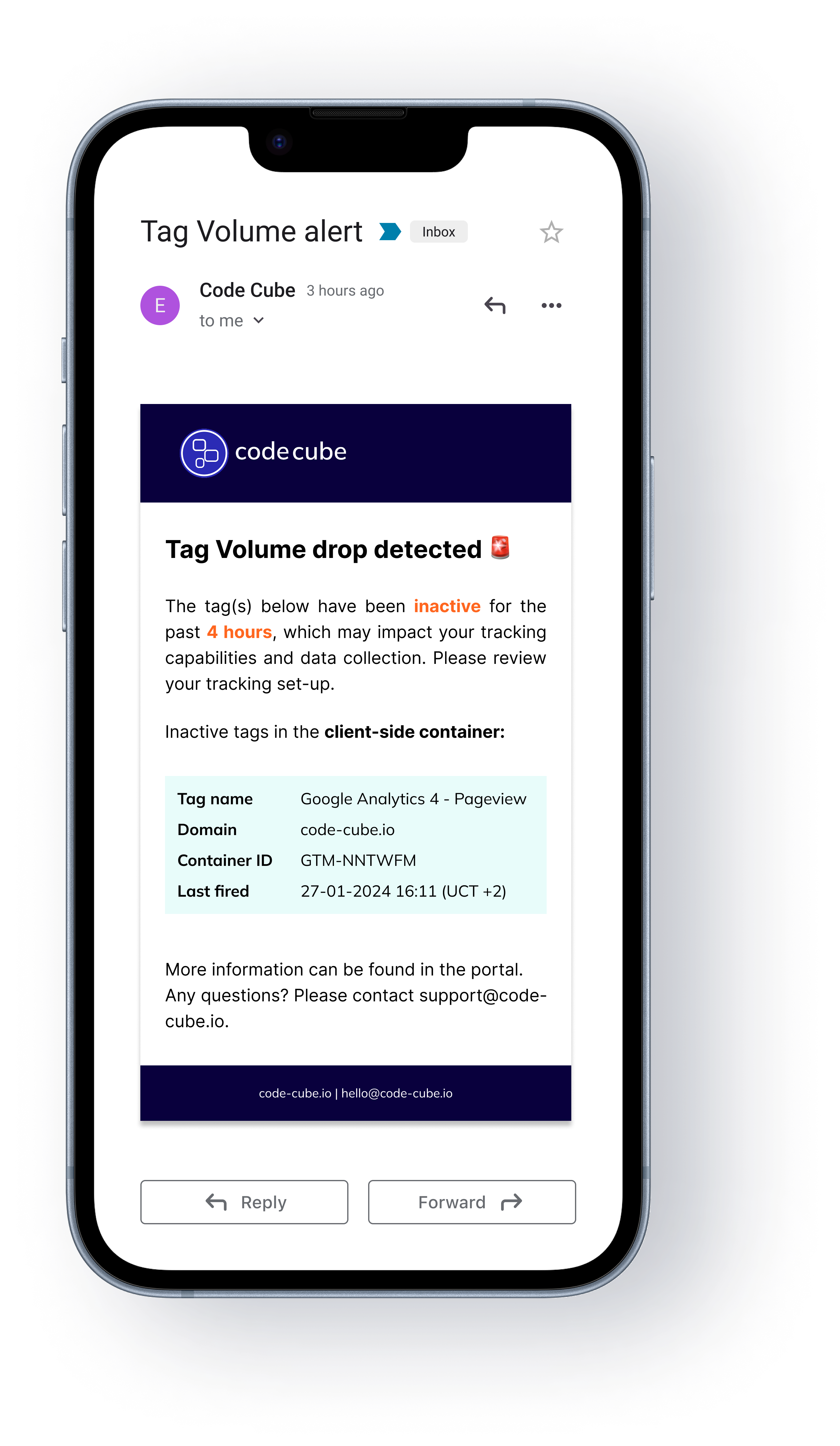
Code-Cube.io’s Tag Monitor offers you a functionality designed for Tag Volume monitoring which guarantees your data collection volume is on par with the actual numbers and behaviour of your visitors. In case any tag begins underperforming, you will be alerted within minutes.
How Tag Monitor protects your data volumes:
- The system automatically learns the daily and weekly patterns in your tag firing volumes and alerts you to anomalies.
- You will be notified via email, Slack, WhatsApp or Teams immediately when tag volumes drop below expected thresholds.
- You will be able to see tag firing frequency over time in the Tag Monitor dashboard to spot gradual decreasing data before it becomes a problem.
With Tag Monitor, you transform those gut feelings about declining data quality into concrete volume alerts – so you always know your tags are firing at the expected frequency and your marketing decisions are based on complete information.
Take control of your tag volumes
The most successful digital marketers don’t just analyze data – they verify its collection volume and consistency. Code-Cube.io’s Tag Monitor gives you confidence that you’re capturing the expected volume of interactions, not just a fraction of what should be tracked.
Start monitoring your tag firing frequency today and ensure every marketing decision is based on complete data collection.
At Code-Cube.io, we build data monitoring tools that protect marketing teams from errors or data loss in there web-analytics or marketing systems. Our Tag Monitor, ensures your analytics and tracking systems capture every interaction at the expected volume, giving you complete confidence in your marketing data.
Want to stay in the know? Subscribe to our newsletter in the footer below.
Your path to error-free analytics starts here
Installation takes just a few clicks – no developers needed! We handle all the setup for you. Ready to go?
start your free trial
Likely your data set is not ready for it. Just not yet.
Did you happen to see the Netflix documentary about Fyre, the once in a lifetime luxury music festival in the Bahamas?
In case you missed it, the overhyped festival, a supposed mix between Coachella and Burning Man, ended up becoming “The Greatest Party That Never Happened”. Everyone was talking about it, it was overhyped, people bought tickets driven by “Fear Of Missing Out” and the organisers had little or no experience with organising such a large festival.
Why is this relevant for a blog on the website of the Digital Analytics Summit you might wonder? Well, there are actually many parallels between the current state of AI and the Fyre Festival. Everyone is talking about AI, it is a bit overhyped, there is a lack of experience and marketers are suffering from “Fear Of Missing Out”.
But there is no need to be afraid you will miss out on AI. Conferences like the Digital Analytics Summit and blogs like this one, give you valuable tips to help avoid making the same mistakes as others made before you.
Recent data collection challenges
With online marketing being a significant and indispensable driver for traffic to any webshop, the importance of data is growing year after year. In the “State of Martech 2024” report by Chiefmartec 71% of the respondents (leading martech and marketing operations professionals), reported that they’ve already integrated a data warehouse within their martech stack.
We all acknowledge the importance of data, and we all have to continuously navigate between collecting valuable data on the one hand while still respecting the customer’s privacy and being legally compliant on the other hand.
In the recent past we have seen businesses migrating en masse to server-side tracking (whereas traditionally behavioral data was captured in the browser of the website’s visitor). The goal was clear, to improve data quality and secure it for the longer term because server-side tracking is not affected by ad blockers and tracking prevention settings in browsers.
More recently we have seen almost every website implement Google’s Consent Mode to ensure GDPR compliance while still being able to track valuable data for insights.
Is your data tracking ready for AI?
AI models rely solely on clean and complete data flowing into them. Without correct data, any model lacks the fuel to deliver an intelligent prediction. Therefore your data collection process (which is the foundation of any data driven strategy) should be your top priority. Without validated and rich data, you will never be able to be successful with AI.
So in order to ensure the effective execution of marketing AI you should never forget that garbage in, results in garbage out. This applies to the simplest dashboard in which you monitor basic KPI’s and even more so to AI. Therefore, before starting with AI you need to make sure your data tracking is in order and works permanently. The DataLayer and all tags must do their work well at all times in order to capture- and pass on the right data.
When your tracking works perfectly it will have a significant positive impact on the costs of your first AI project. The correct tracking setup contributes to the data quality and structure and it will eventually save your data scientists lots of valuable time. Instead of wasting time on checking, cleaning and preparing the collected data they can actually spend more time on developing and improving the AI models.
A well working- and well documented tracking setup contributes to transparency and helps explain the AI model’s logic and its predictions to stakeholders or even customers when needed.
Real-time monitoring: Let the AI party begin!
There are some tools available in the market that help you with checking your data collection set-up. What most of these tools don’t do however, is real-time monitoring of the most vulnerable parts in your data collection.
You don’t want your artificial intelligence capabilities to be dependent on the need for human checks. To boost your AI efforts, you will be far better off with a real-monitoring tool which alerts you instantly when something is off and also states in detail what the actual problem is.
Monitoring your dataLayer, tag manager and tags in real-time ensures a constant stream of reliable data at low costs:
Conclusion
Despite the many challenges and potential pitfalls, the successful implementation of marketing AI is surely feasible.
Data quality is key because any AI model needs good quality data. It is the fuel needed to deliver intelligent predictions. High quality data will save time and resources for data preparation and maximise the chances of success with AI. Therefore data quality assurance and correct tracking should be your first priority.
With real-time monitoring of your tracking set-up you have a permanent safeguard in place to protect your data quality. Real-time monitoring of your data collection process will pave the way for being successful with AI.
Your path to error-free analytics starts here
Installation takes just a few clicks – no developers needed! We handle all the setup for you. Ready to go?
start your free trial
Why you need to monitor your tracking- and tagging setup
It is probably the biggest nightmare for online professionals, decision makers and data analysts: unreliable and incomplete data.
Within any organisation, data is the foundation for strategic decisions, solving problems and the ability to run and assess marketing campaigns. We are increasingly dependent on the quality of the collected data to stay relevant and competitive.
Moreover, running online marketing campaigns relies for an increasing part on trustworthy data. Algorithms which are used by for instance Google, Microsoft and Meta work more effectively when you feed sufficient and correct data into their systems.
Therefore it is no surprise that data collection is in the spotlight for quite a while already. Already in 2019 the “tracking rat race” between Safari and Mozilla on one hand and marketers on the other hand was in full swing. Since then many episodes have been added to the saga with most recently the launch of iOS17 and the removal of utm-tracking parameters. With the introduction of new technologies like server-side tagging and the introduction of Data Warehousing the landscape is getting more technical along the way.
Bad or missing data gives a wrong image of your return on investment, algorithms can’t do their job well and ultimately you are wasting part of your advertising budget.
Despite all the attention for data collection, the sad reality in most companies is that stakeholders don‘t even know if and when tags are firing or not. Most websites have extensive monitoring in place for their website infrastructure but the functioning of tag containers and tracking tags are frequently overlooked while they have a significant impact. Correct tagging and tracking, a crucial aspect for collecting consistent and accurate data, is almost always overlooked.
Tracking threats
- Tag managers allow marketers to inject code into your website without the help of a developer. At the same time those tag managers don’t have a safeguard in place to stop new code from conflicting with other content or objects. You will not be alerted when tags are not loading, malfunctioning, causing errors and conflicts or slowing down your pages.
- Frequent updates on the site as well as third party technologies potentially cause errors which result in a collection gap of several days up to a few weeks. Issues don’t get noticed till it’s too late and the irreparable damage to the data and data quality has already been done.
- Dependencies and risks are getting bigger over time due to a growing number of technology partners and tags, each forming a potential point of failure.
- A lack of process, lack of knowledge and lack of communication between teams, departments and external agencies poses a risk. This risk is even bigger for companies with multiple domains and larger teams.
Manual online checks of the tagging setup are time consuming and are not consistent. The results are influenced by for example the time of the day, the location, the device and browser. It’s impossible to test all edge cases. - You can’t influence everything when it comes to tracking and tagging, for example the endpoint could be offline or an API could be malfunctioning without you knowing.
Everyone has the same struggle
Sometimes you find out by coincidence you have been missing conversions for a specific period and you can only guess how many you have missed based on the numbers of the previous period. During this time you have annoyed all those buying customers with irrelevant retargeting ads. This is money wasted on annoying your customers.
You are not alone in this struggle. Most websites are not being protected against the tracking threats described above. An average website regularly encounters issues with error percentages of 5% up to 25%. Basically you and most of your competitors currently have no oversight or insight into how tags are impacting data collection and the user experience of your visitors.
In the land of the blind, one-eyed data collection currently still is king
You never get a second chance to capture the relevant data of your website’s visitors. Therefore it is fundamental that your tagging- and tracking setup is done in a manner which guarantees a steady and uninterrupted process of data collection. You need to put in place safeguards which alert you realtime when shit hits the fan. This will allow you to act accordingly when something is happening with your tagging, whatever the cause may be.
Currently the one eyed man can still be king. But what if you could be the two eyed emperor? You can have full control over the tracking on your platform, maximise the quality of the data you collect and your marketing tagging will no longer negatively affect user experience.
Besides making sure your dataset is up to par, this will save you a lot of time not having to pinpoint the exact cause of the issue and reverse engineer the setup.
It is possible with real-time monitoring of your tracking and tagging. Automated monitoring ensures a constant stream of reliable data at low costs. Reliable data tracking starts with real-time monitoring and it is the foundation on which any data-driven strategy should be built.
=======================
This blog was first published on the website of the Digital Analytics Summit an event organised by the DDMA, the largest association for data-driven marketing, sales and service in The Netherlands.
About the authors: Suze Löbker and Harm Linssen are co-founders of Code Cube
Your path to error-free analytics starts here
Installation takes just a few clicks – no developers needed! We handle all the setup for you. Ready to go?
start your free trial